The meal planner app for iPhone & iPadDinner, decided.
Today's meals, step-by-step recipes and a grocery list that writes itself, planned around your family and right in your pocket.

Free on the App Store for iPhone and iPad (iOS and iPadOS 16 or later). Included with your Ultimate Meal Plans membership.
Today
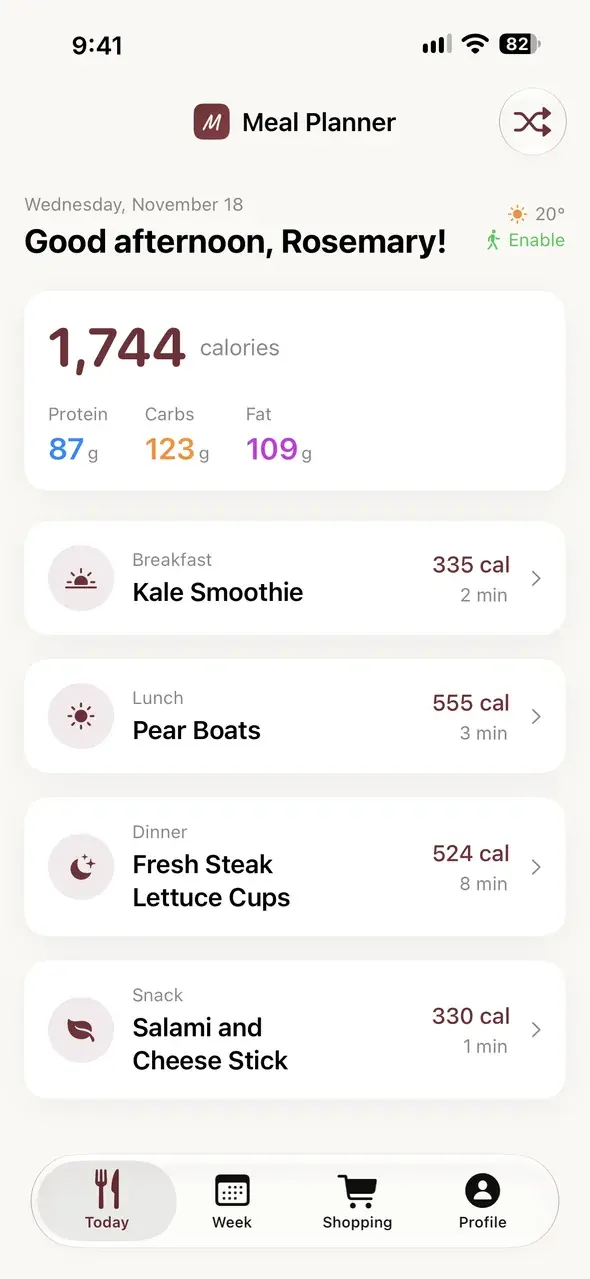
Today's meals, ready when you are
Open the app and breakfast, lunch, dinner and a snack are waiting, with photos, calories and how long each takes. No scrolling, no deciding at 5 pm.
- Your whole day on one screen
- A fresh plan with one tap if this week isn't working
Grocery list
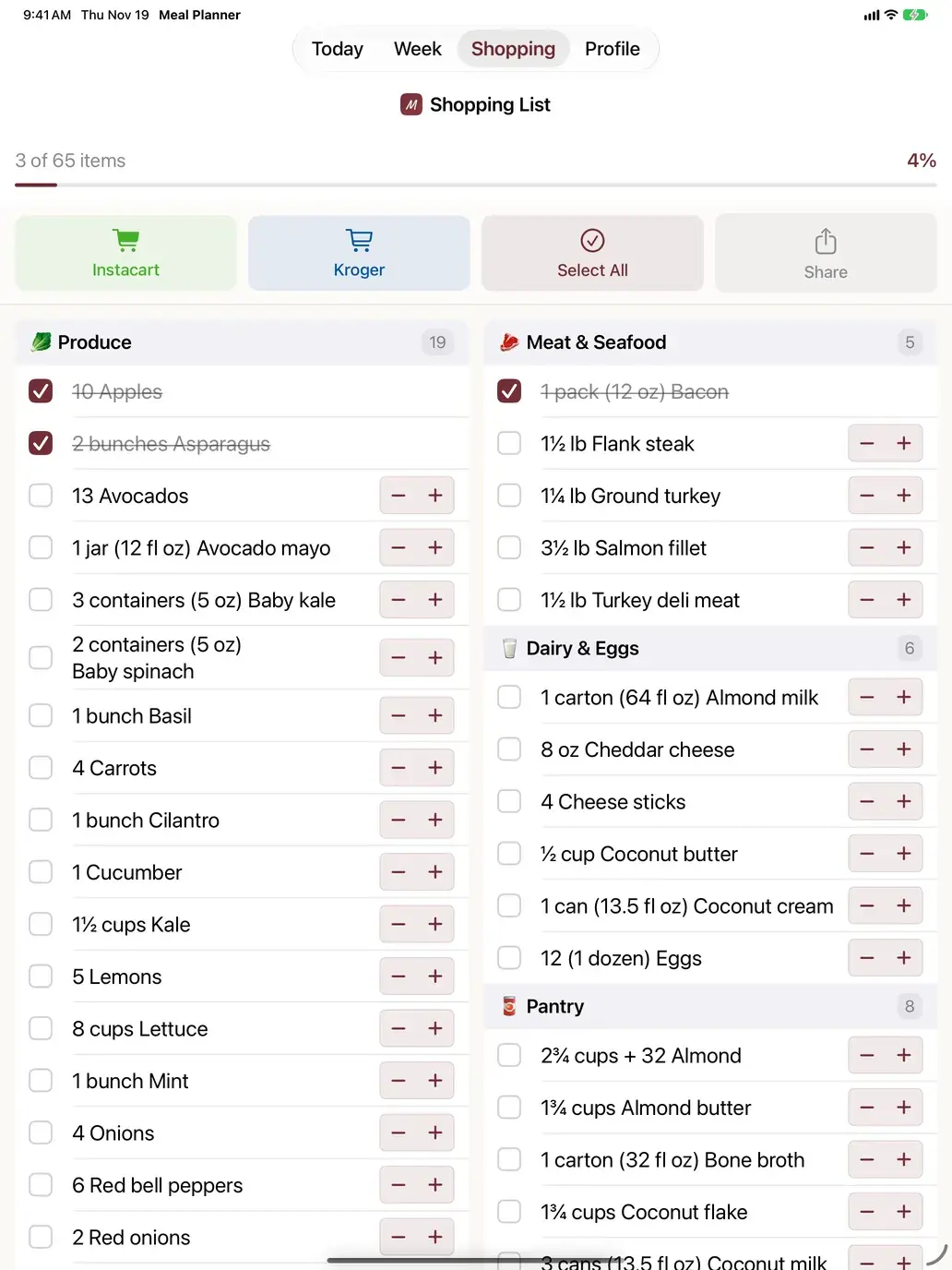
A grocery list that writes itself
The week's ingredients are added up, rounded to amounts you can actually buy and sorted by aisle. Check things off as you shop.
- Send it to Instacart or Kroger, or text it to whoever is doing pickup
- Stays in sync with the website
Recipes
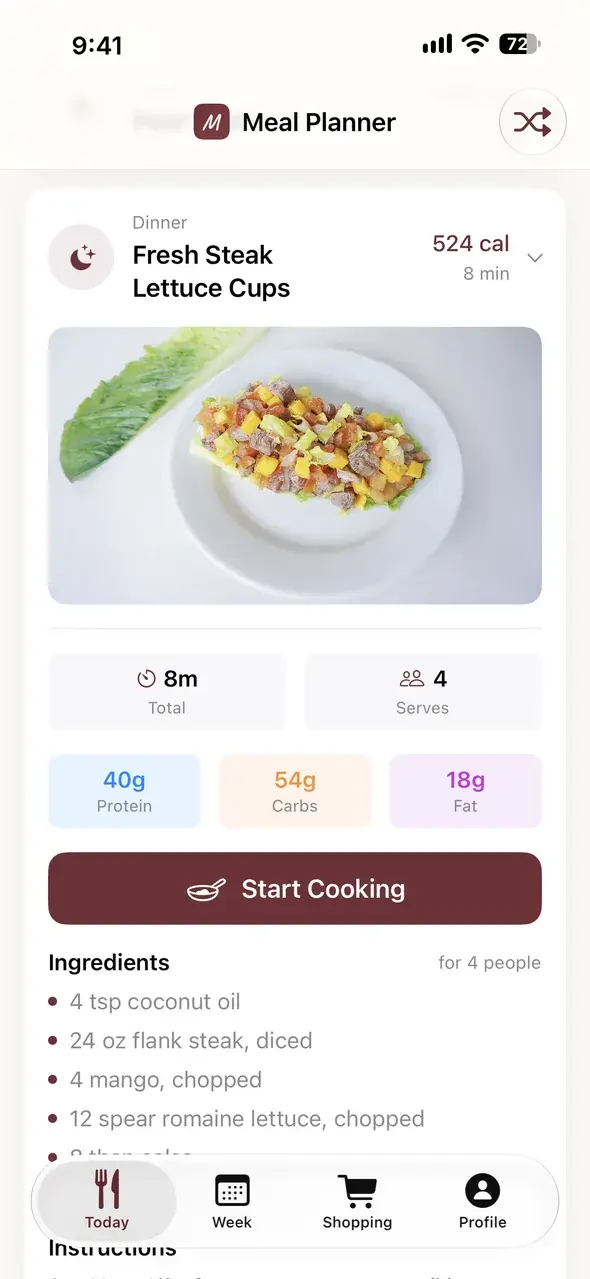
Recipes for real weeknights
Most recipes take about 15 minutes with around 5 ingredients. Set your serving size once and every recipe and your grocery list scale to fit your family.
- Ingredients and steps in one place
- Serves 1 to 6, adjusted automatically
iPad
Made for the kitchen counter
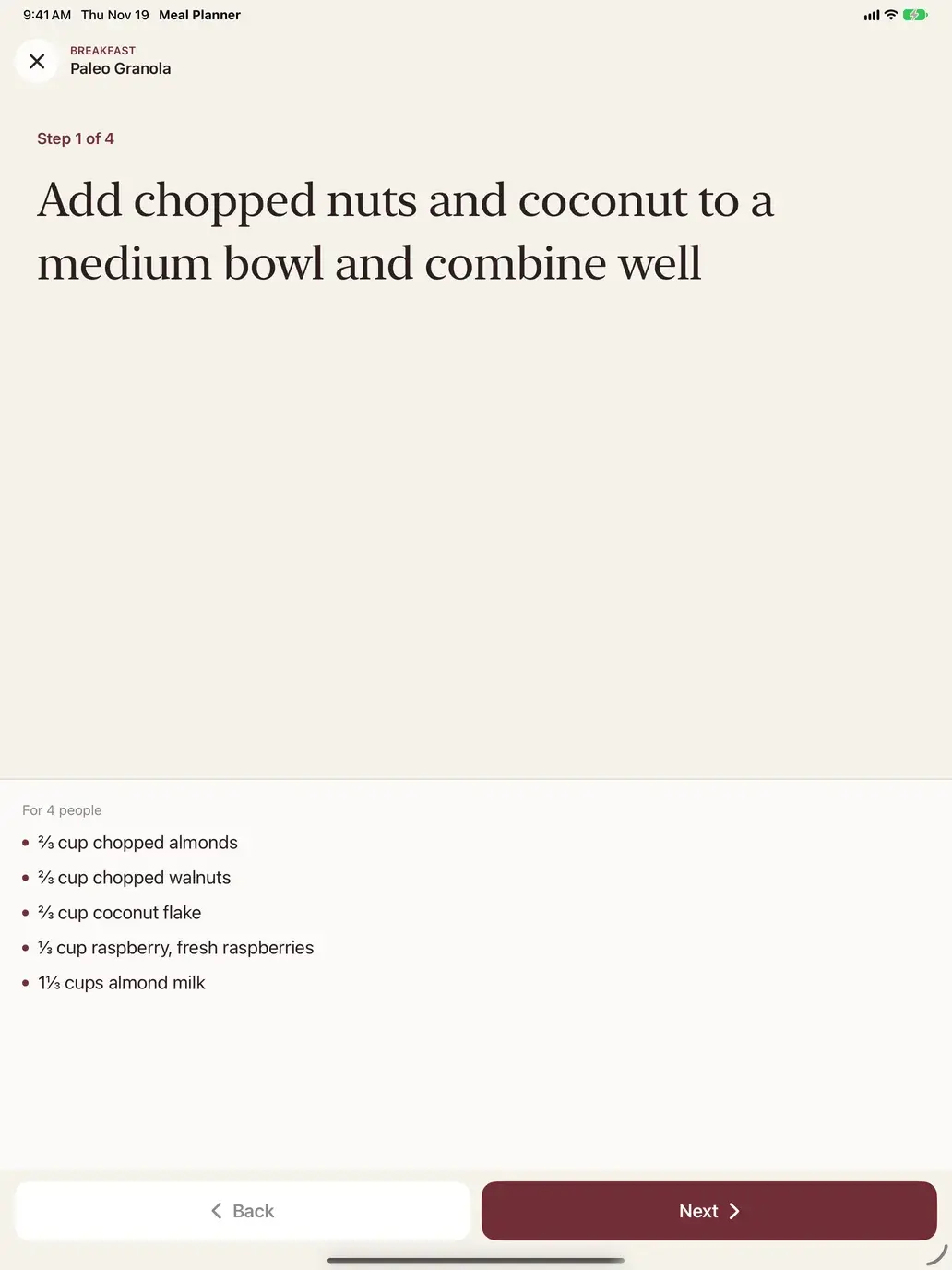
Cook Mode shows one big step at a time with the recipe photo and your ingredients always in view. It keeps the screen awake and starts timers for you.
- Readable from across the kitchen
- Swipe or tap to move between steps
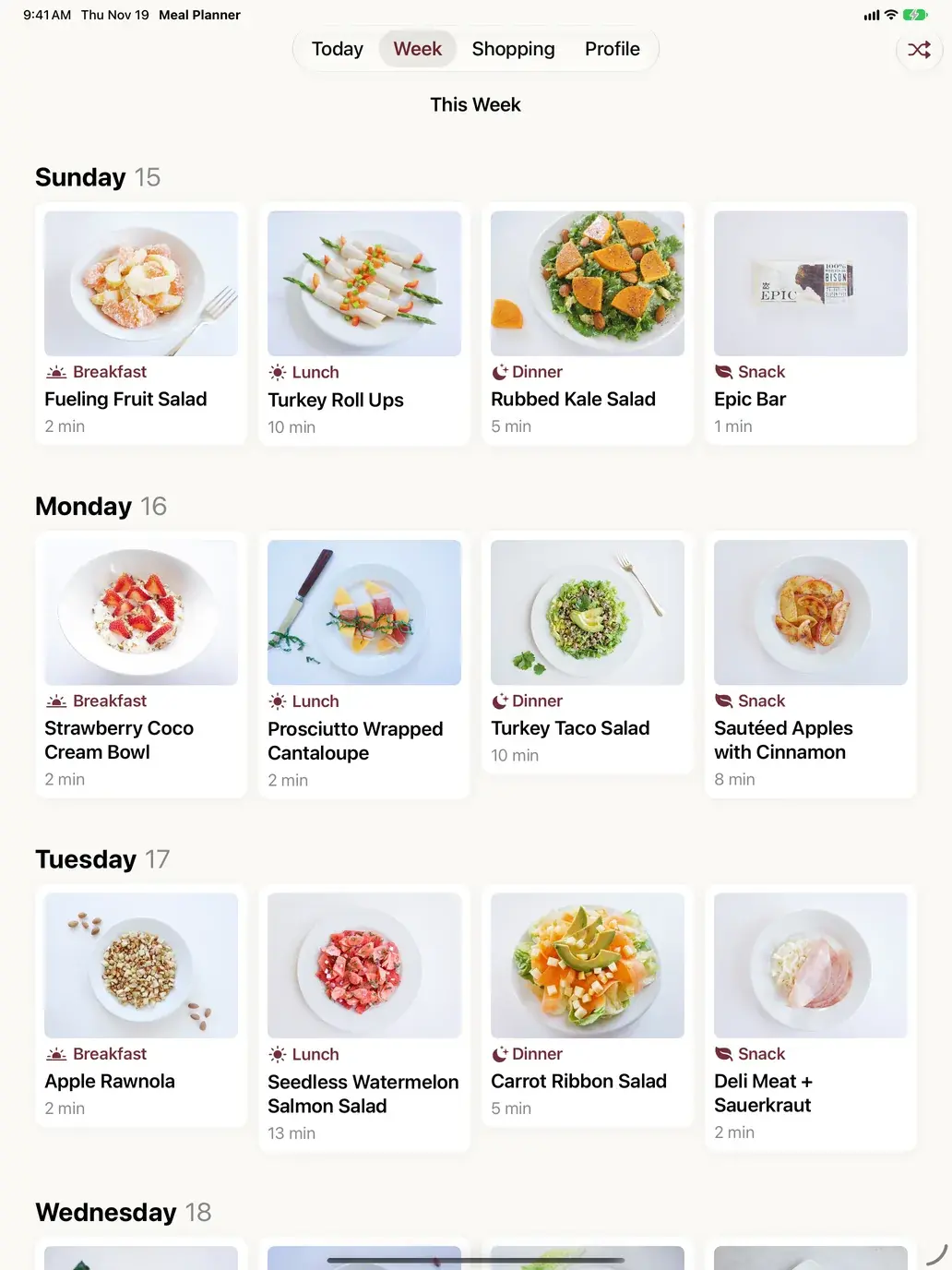
Week
The whole week at a glance
See every breakfast, lunch, dinner and snack for the week, with photos. Tap any meal for the full recipe.
- Plan ahead for busy nights
- Shuffle for a new week anytime
Little things that save your week, on iPhone and iPad
Home Screen widgets
See your next meal or grocery list without opening the app.
Synced with the website
Same plan, favorites and list on every device.
Skip what they won't eat
Exclude ingredients and hide recipes you never want again.
Sunday reminders
Optional nudges when your new plan and list are ready.
Plans for how you eat
Keto, Paleo, Low Carb, Whole30, AIP, Carnivore and more.
Built for busy weeknights
Most recipes take about 15 minutes.
Get started in three steps
- 1
Join on the website
Pick your diet and start your membership at ultimatemealplans.com.
- 2
Download the iOS app
Free on the App Store for iPhone and iPad.
- 3
Sign in and shop
Your plan and grocery list are already waiting.
Questions
Is the app free?+
The app is a free download. Meal plans, recipes and grocery lists come with your Ultimate Meal Plans membership, which you start on our website. There are no in-app purchases.
Does it work on iPad?+
Yes. On iPad you get the whole week at a glance, a two-column grocery list and Cook Mode with big, easy-to-read steps for the kitchen counter.
Will my plan match the website?+
Yes. The app and ultimatemealplans.com share the same plan, favorites and grocery list, so anything you check off on one shows up on the other.
I joined on your old site. How do I sign in?+
Open the app and tap "Forgot password?" to set a password for your account, then sign in with the same email.
Is there an Android app?+
Not yet. On Android, use ultimatemealplans.com in your browser: everything in the app works there too.
Where is the app available?+
On the App Store in the United States, for iPhone and iPad running iOS or iPadOS 16 or later.
What's for dinner? Already answered.
Your plan, recipes and grocery list in one app, on your iPhone and iPad.